By Jahed Ahmed, Founder, rmvbg 5 min read
Quick answer
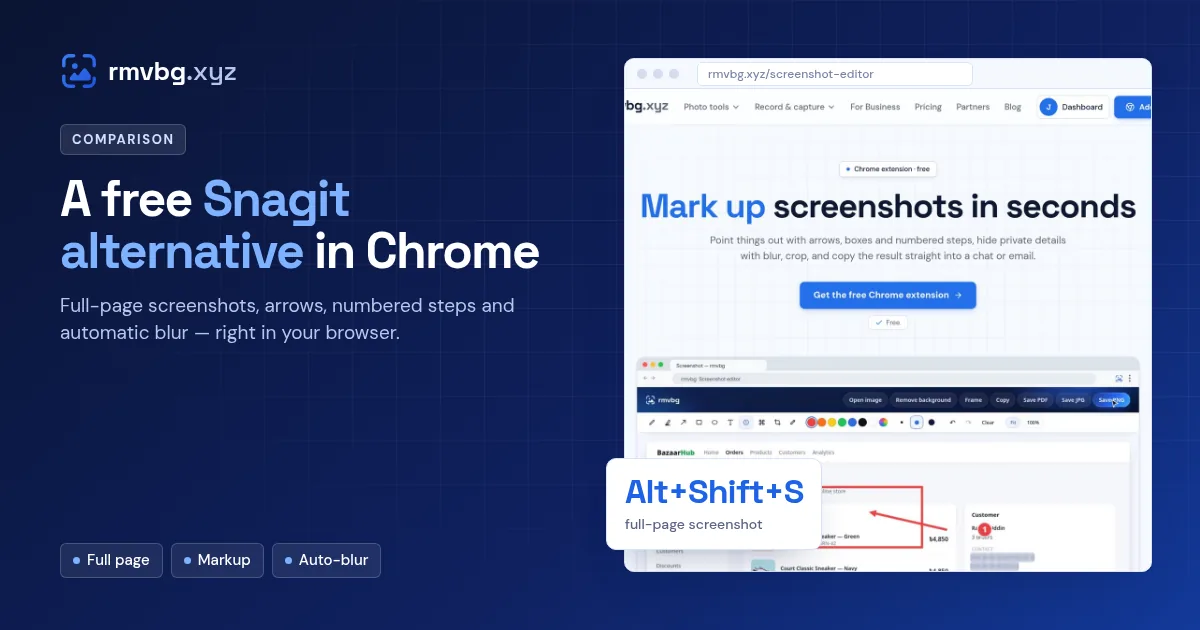
For screenshots in the browser, the free rmvbg Chrome extension is a simple Snagit alternative: press Alt+Shift+S for a full-page screenshot, mark it up with arrows, boxes, text and numbered steps, blur emails or card numbers automatically, and copy or download PNG, JPG or PDF. Snagit is a fuller desktop app for Windows and Mac; at the time of writing it costs $39 per year for individuals.
Snagit at the time of writing
Snagit by TechSmith is a desktop screen capture and editing app for Windows and macOS. Since the 2025 release it is sold as an annual subscription: $39 per user per year for Snagit Individual, with a 14-day money-back guarantee. It captures anything on your desktop, not just the browser.
What the rmvbg extension covers
- Full-page screenshots that scroll and stitch the whole page, plus visible-area and area captures.
- A screenshot editor with pen, highlighter, arrows, boxes, text, numbered steps, blur and crop.
- Auto-blur private info: emails, phone and card numbers, passwords and keys are covered before the capture.
- Mockups and frames for social posts and launch pages.
- Screenshot to PDF for sharing a long page as one document.
Side by side
| Snagit Individual | rmvbg extension | |
|---|---|---|
| Price | $39 per year | Free (Pro adds extras from $3/month) |
| Runs on | Windows and macOS desktop | Chrome, Edge, Brave and other Chromium browsers |
| Captures outside the browser | Yes | Browser tabs (screen recording can share a window or screen) |
| Automatic privacy blur | Manual blur tools | Yes, before each screenshot |
Snagit details were checked on TechSmith's store page at the time of writing.
Which should you pick?
If most of what you capture is web pages — bug reports, how-to steps, design feedback, receipts — the free extension does the job without installing a desktop app. If you capture desktop software all day or need Snagit's templates and video features, Snagit is worth its price. Read how to blur private info in screenshots to see auto-blur in action.