Smart scheduling
Quick times in your own time zone, or any minute you like.
Social media planning, made simple · 14-day free trial
Write once. Post everywhere. On time. Plan the week on a calendar, write one post for every network, and Immense Studio sends it on time — even with your laptop closed.
No card needed · nothing is charged when the trial ends
Features
Quick times in your own time zone, or any minute you like.
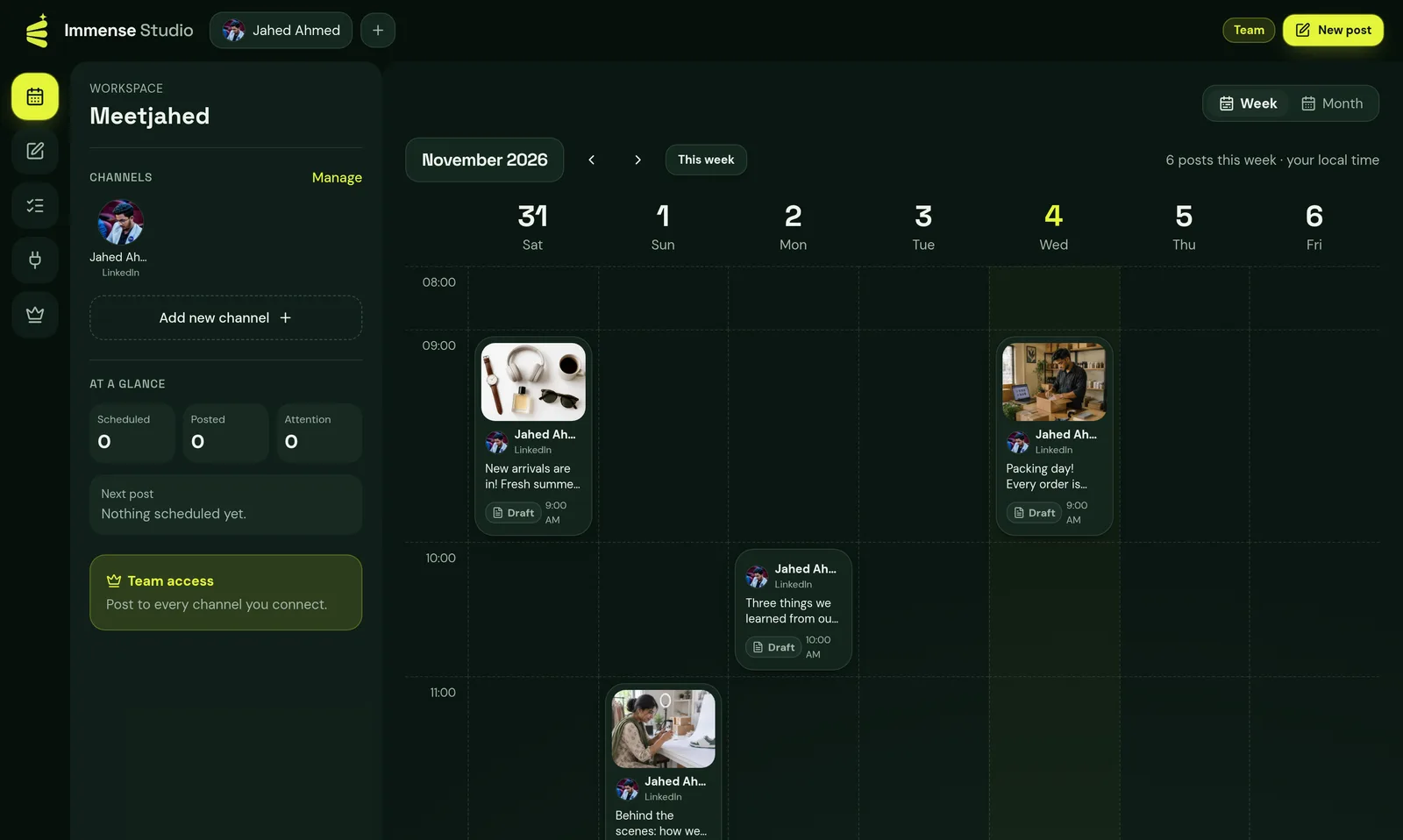
Days across, hours down. Click any empty hour to plan a post right there.
Facebook, Instagram, YouTube and Bluesky comments answered once each — your words, or AI in their language.
Describe the post; get a ready caption to edit.
One post for many channels, with a live preview of how it looks.
Character counts and picture/video rules per network, before you schedule.
Save ideas as drafts and schedule them when you're ready.
See exactly which channel failed and why, then resend only to that one.
Posting keys are encrypted on our servers and never shown in your browser.
How it works
Connect, write and schedule — then watch your week fill up. No developer keys, no setup.
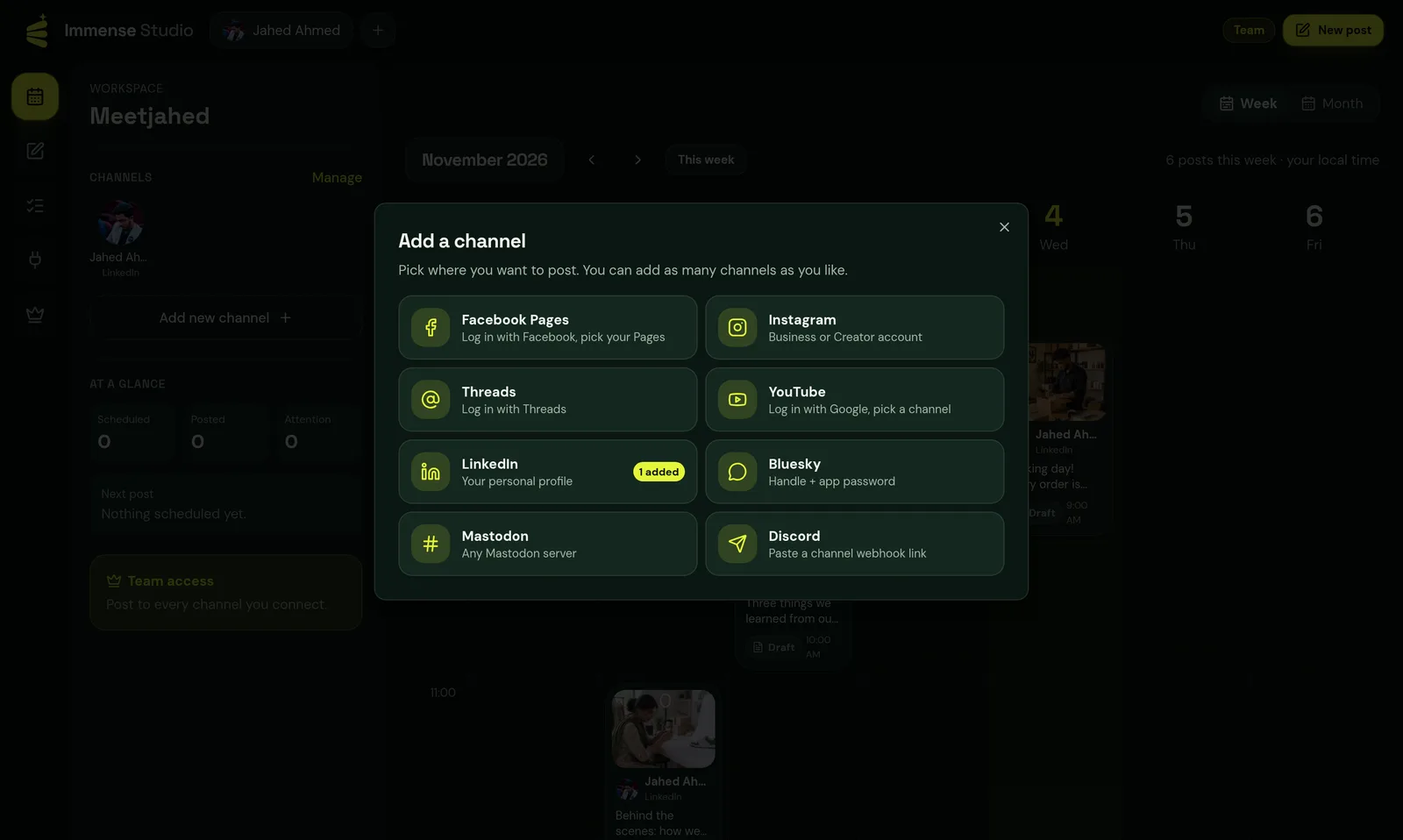
Start the 14-day free trial, press “Add new channel” and log in with each network's own button — Facebook Pages, Instagram, LinkedIn, YouTube, Threads, Bluesky, Mastodon or Discord.
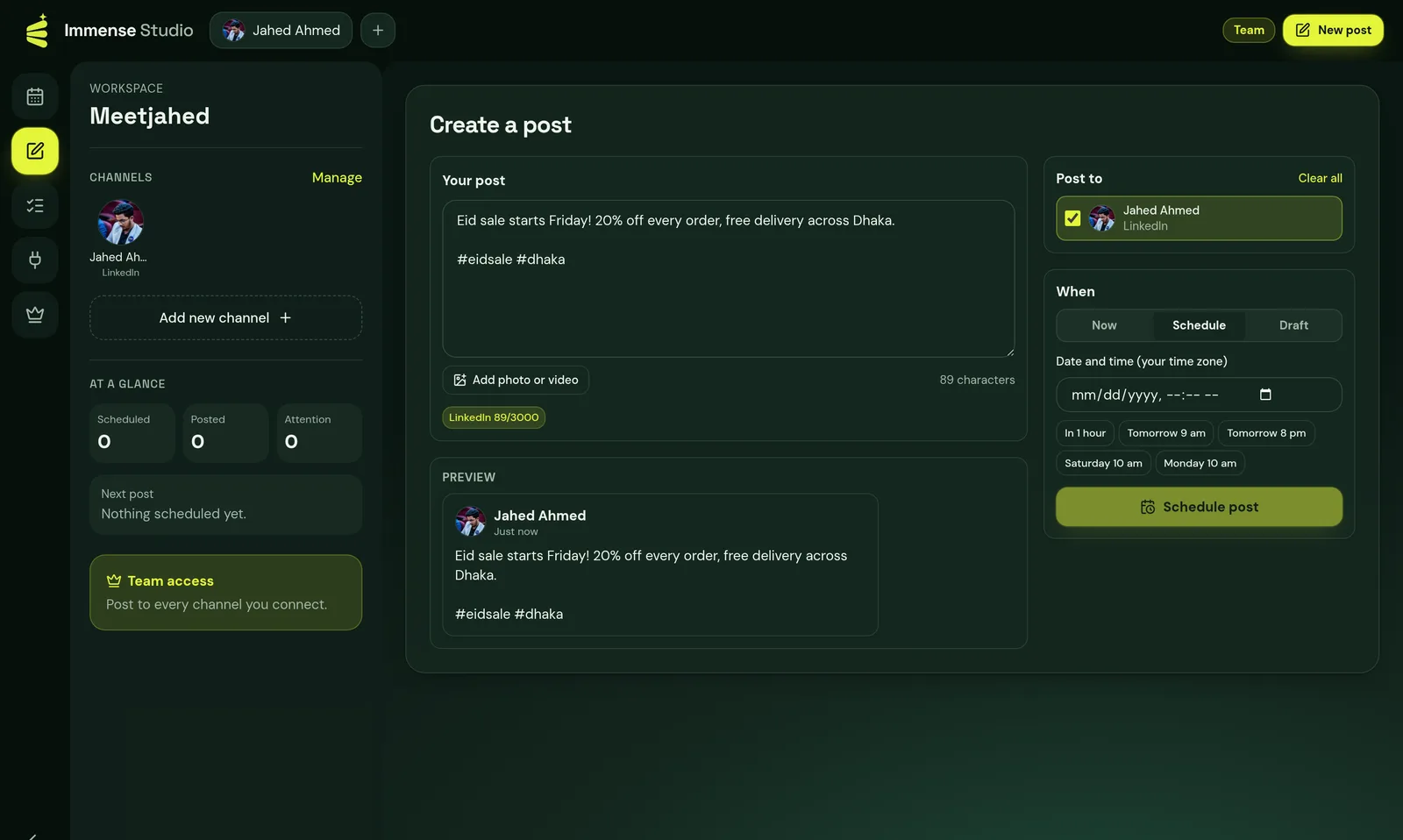
Write one post, add a picture or video, tick the channels and choose Now, Schedule (quick times like “Tomorrow 9 am”) or Draft.
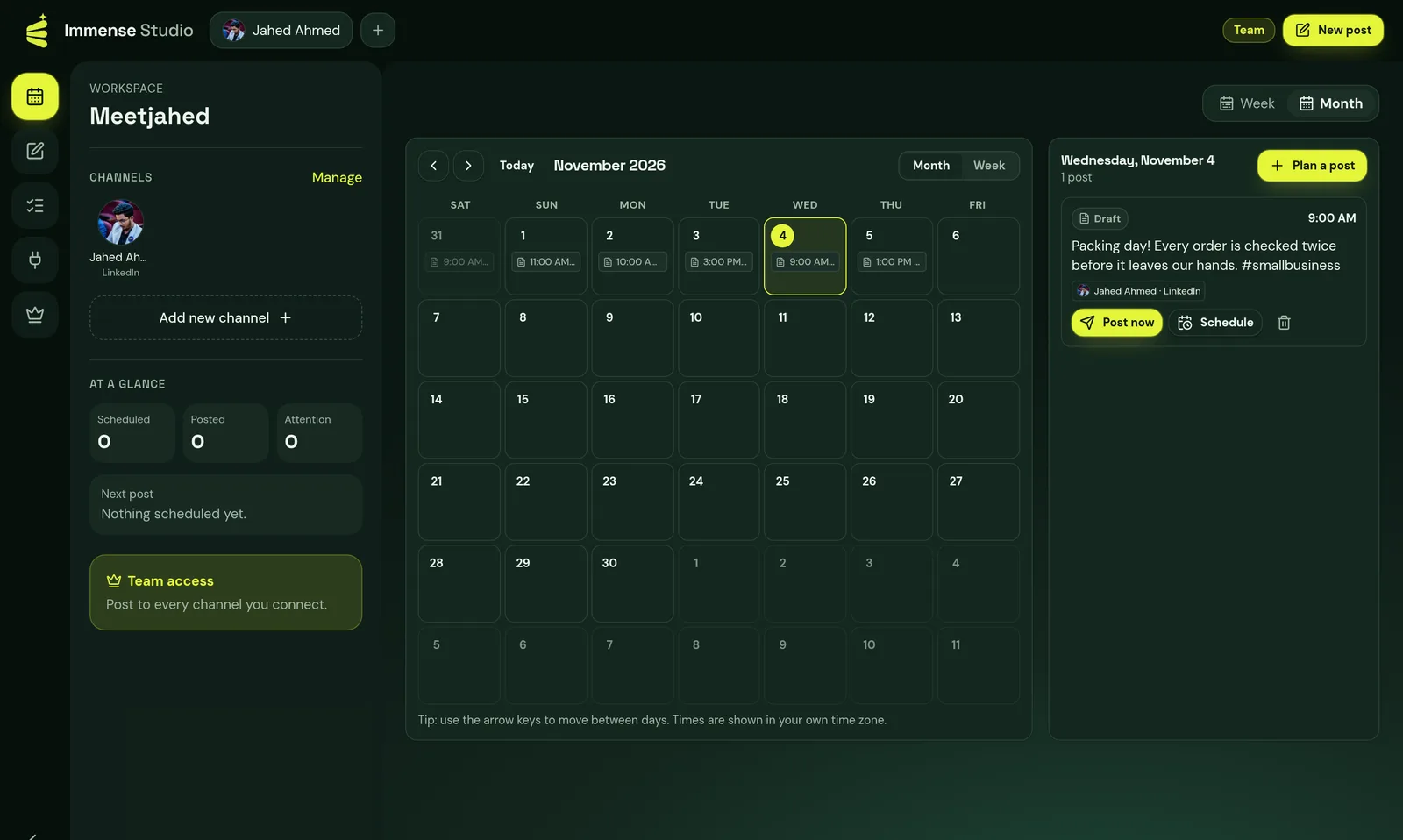
Every post sits in its hour on the calendar, or zoom out to the month. Click a post to send it now, change the time or delete it.
Made for
A real recording of the app: open a post, add a channel, write and schedule, then zoom out to the month.
Plan new arrivals, offers and Eid or Black Friday sales across your Facebook Page, Instagram and more.
Announce videos and lives on every network at the same time, without copy-pasting.
Keep a steady posting rhythm in a few minutes a week, even when you're busy running the shop.
Post club, school or community updates to your Page, Discord server and Mastodon in one go.
Tutorial
Open Immense Studio, press “Add new channel” and pick a network. Here's what each one asks for, and what kind of posts it takes.
Press Continue with Facebook, log in, and tick the Pages you manage. Every Page you pick becomes its own channel.
Shows as “Facebook Page” in your channel list.
Needs an Instagram Business or Creator account. Every post needs a picture or video.
Shows as “Instagram” in your channel list.
Press Continue with Threads and log in with your Instagram-linked Threads account.
Shows as “Threads” in your channel list.
Press Continue with Google and pick your YouTube channel. YouTube posts need a video; the text becomes the title and description.
Shows as “YouTube” in your channel list.
Press Continue with LinkedIn to post to your personal profile. LinkedIn asks you to log in again every 60 days.
Shows as “LinkedIn” in your channel list.
In Bluesky open Settings → Privacy and security → App passwords, make one, then paste it with your handle. Never your real password.
Shows as “Bluesky” in your channel list.
Type your server (like mastodon.social) and log in there. Works with any Mastodon server.
Shows as “Mastodon” in your channel list.
In Discord open the channel's settings → Integrations → Webhooks → New webhook → Copy URL, then paste it.
Shows as “Discord” in your channel list.
Press Continue with TikTok and log in. TikTok posts need a video; the text becomes its caption. Until TikTok approves rmvbg's app, videos post as private.
Shows as “TikTok” in your channel list.
Tip: switch, don't delete
Turn a channel off in Channels to pause it. Your posts and login stay, ready for later.
Tip: plan from the calendar
Hover any future hour in the week view and press + to start a post at exactly that time.
Tip: check “Needs attention”
If a network rejects a post, it shows up there with the reason and a Try again button.
14 days with every feature. No card is needed to start, and nothing is charged automatically when it ends.
Immense Studio is part of rmvbg Pro ($3 a month, $24.99 a year or $49 once). Upgrade to keep scheduling and posting; your channels and posts stay saved either way.
No. You log in to each network with its normal login button. Bluesky uses an app password and Discord a webhook link, both made in a few clicks inside those apps.
Yes. Scheduled posts are sent from our servers at the time you picked, so you can close the laptop.
The post is marked “Needs attention” with the network's reason (for example an expired login or a picture that is too big). Fix it and press Try again — it's sent only to the places that failed.
No — Instagram needs a picture or video on every post, and YouTube needs a video. Immense Studio warns you before you schedule, so nothing fails later.
Yes. Turn on auto-replies for a Facebook Page, Instagram, YouTube or Bluesky channel, choose every comment or only ones with certain words, and write the reply — or let AI write a friendly one in the commenter's language. Each comment is answered once, with a daily limit you set.
Not yet. X charges for every post sent through its API, so it is left out to keep the price low. TikTok video posting uses TikTok's official Content Posting API; Pinterest is planned once Pinterest approves the app.
We never see your password. Each network gives us a posting key, which is encrypted and kept on our servers only — it is never sent to your browser. Disconnecting a channel deletes it.
Pricing
One rmvbg Pro plan covers Immense Studio and every rmvbg Pro tool — recording, video editing, share links and more. In Bangladesh from ৳199 a month.
To try everything
Free trial
$0 for 14 days
Start free trialPay as you go
Pro monthly
$3 a month
Get ProBest value
Pro yearly
$24.99 a year
See Pro plansGet started
Connect your channels, write a few posts and let Immense Studio handle the timing.
Start my 14-day free trial